Turn regulars into members.
★★★★★4.8 on Trustpilot·11K+ barbers
Sell monthly plans inside your own app. Cards are charged automatically. Included visits are covered at booking.
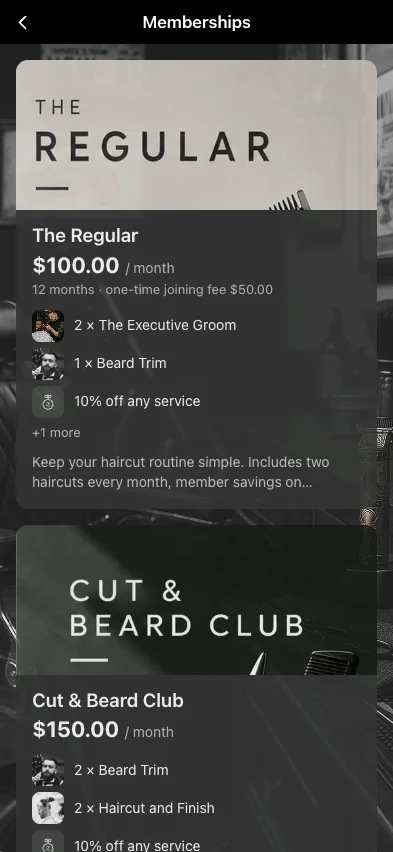
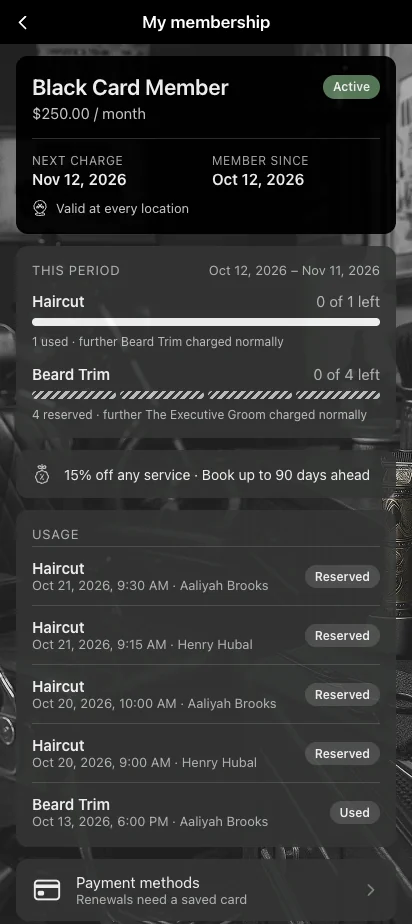
Sell monthly plans inside your own app. Cards are charged automatically. Included visits are covered at booking.
Members pay the same amount every month. You know part of next month's revenue before it starts.
The card is charged on the renewal date. If a charge fails, it is retried automatically.
Memberships use the payment account you already connected to Barberly. There is no new account to open.
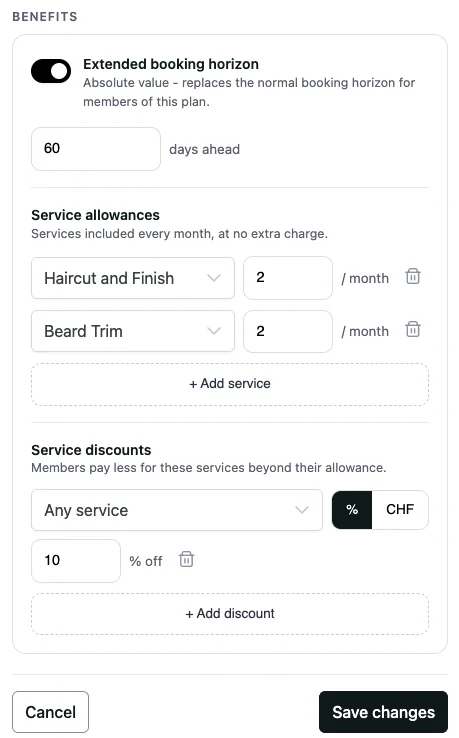
Choose the price, the included services and the member benefits.
Clients buy it in your app. Your team can sell it at the front desk.
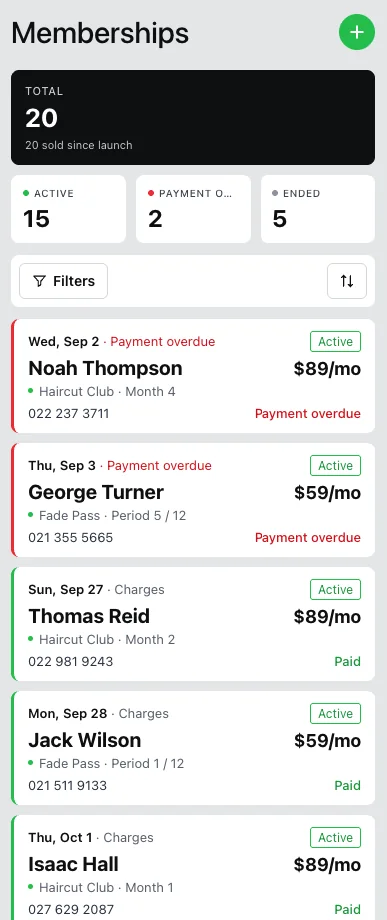
Every month, on the renewal date. You see each payment in the portal.
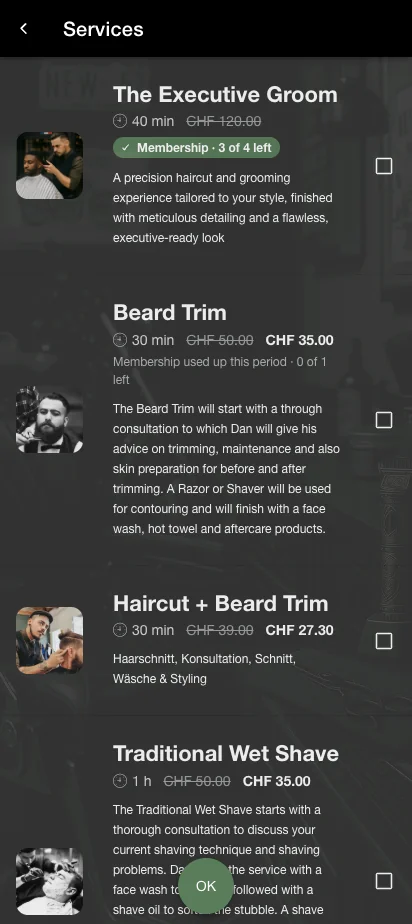
Included services show as covered. The client pays nothing for them.
Set everything in one form in the portal. Create as many plans as you need.
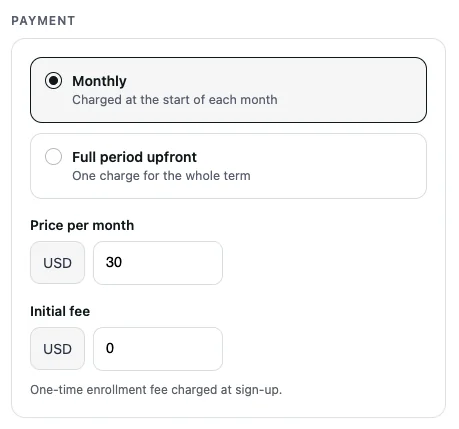
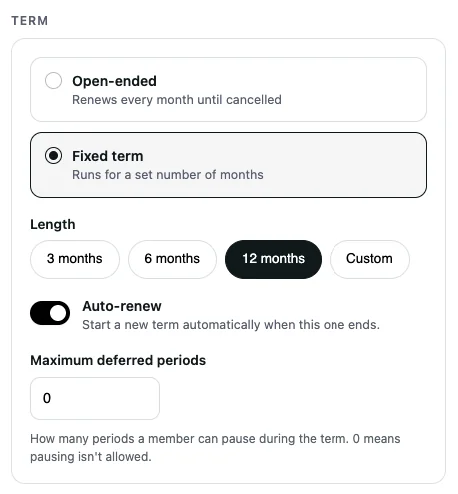
Memberships live in your branded app and on your website, next to booking.
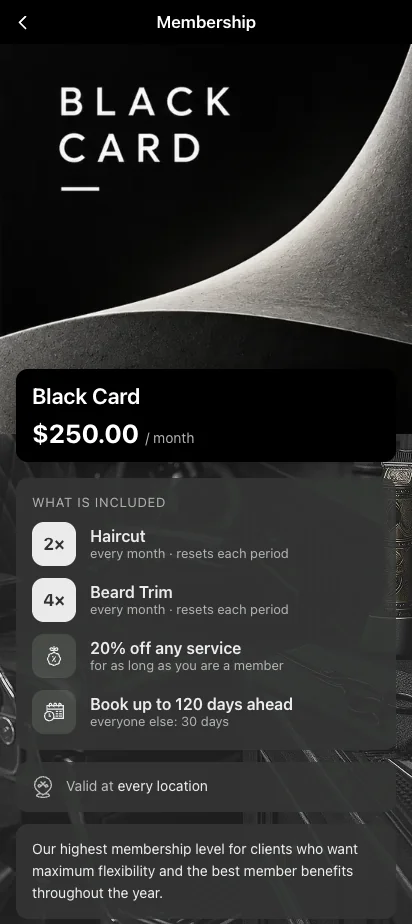
The plan, the price and what is included, on one page.
Visits left are shown next to each service.
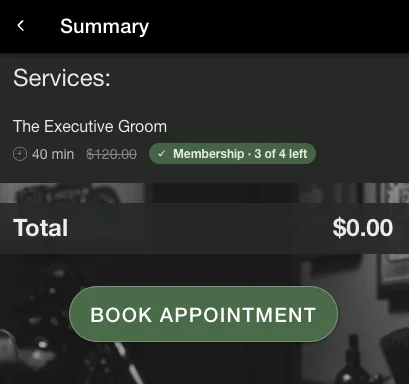
Included visits are covered when the client books.
Members can book further ahead than other clients.
See who is active, who paid and who needs attention. Change a membership in a few clicks.
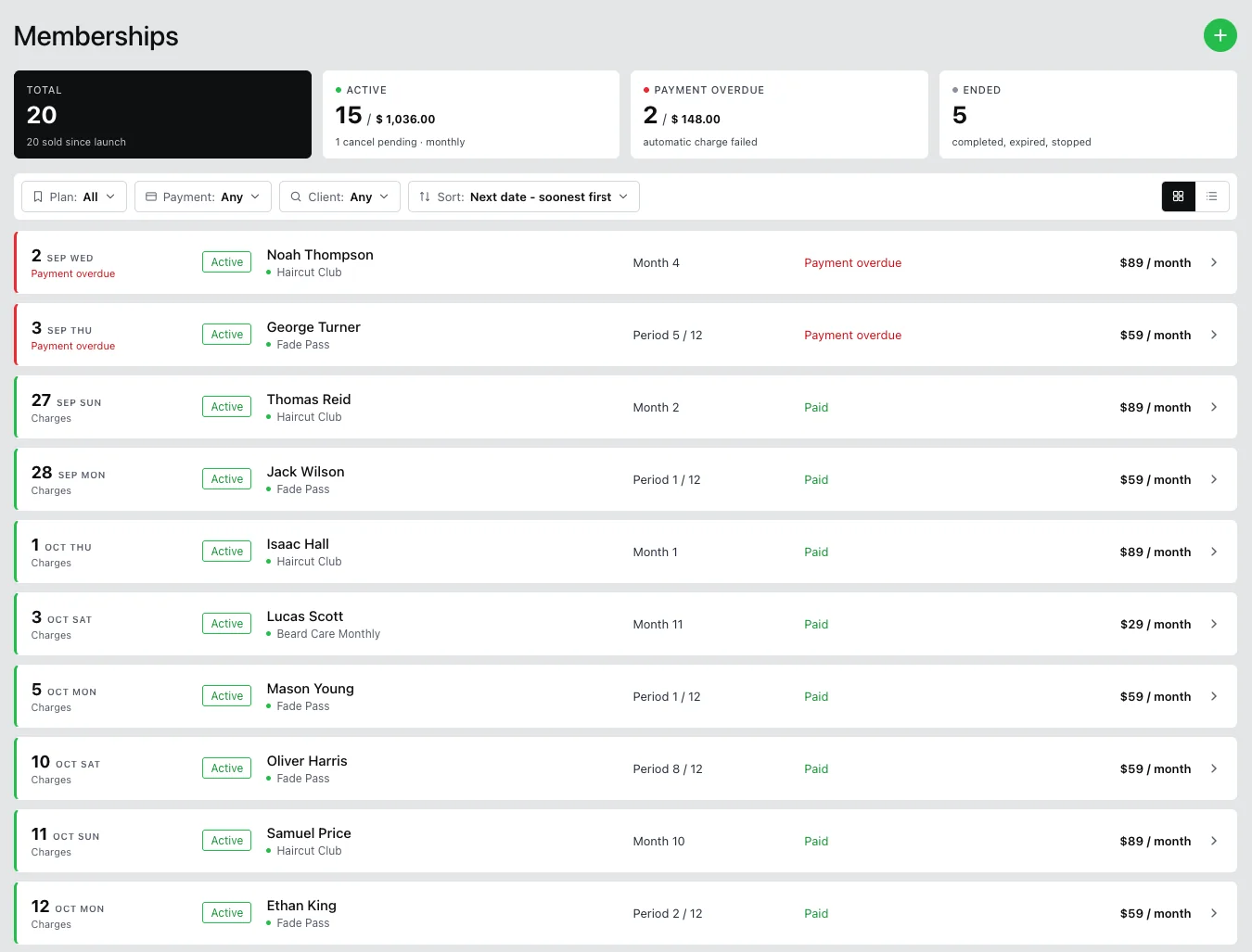
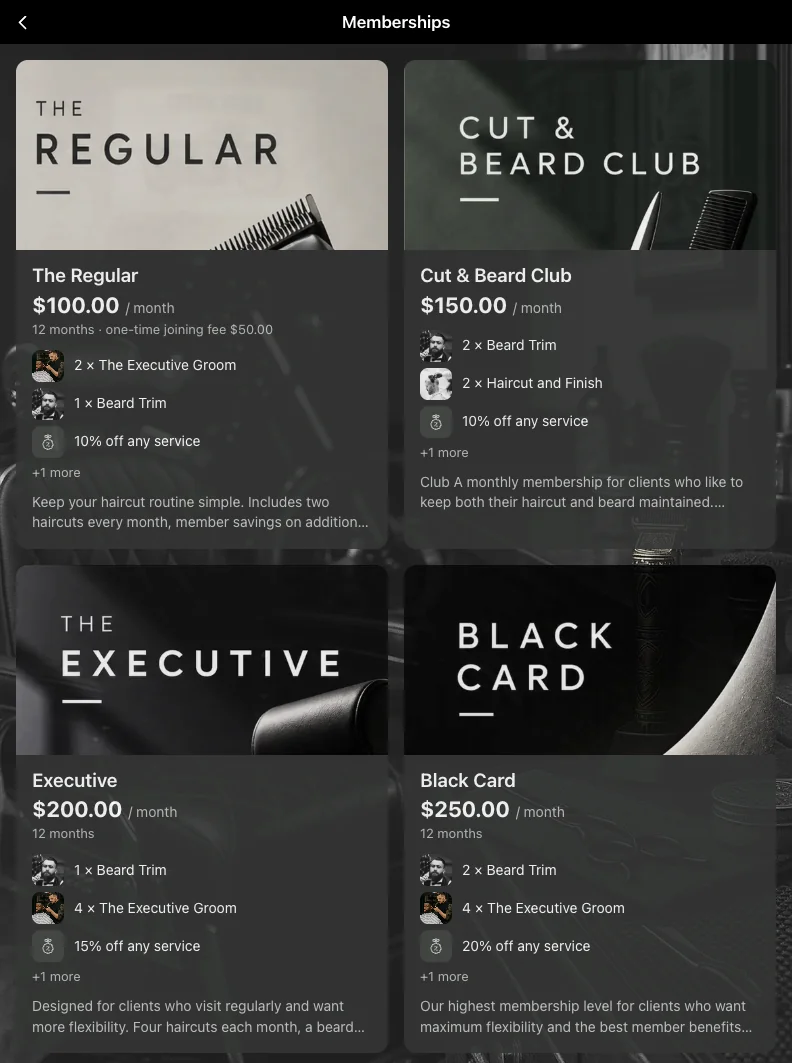
Memberships look like the rest of your app. Your clients see your shop, not Barberly.


Every charge is a normal transaction in your reports.
Memberships come with every Barberly plan, inside your branded app and website.
Compiled from the most common inquiries received by our support team
No. Memberships are included in every Barberly plan, together with your app, website and kiosk.
No. Barberly takes no commission. Your payment provider charges its usual card fee, the same as for any other payment.
No. Memberships use the payment account you already connected to Barberly: Stripe, Square, SumUp or Revolut.
Membership payments always go to the shop account, even if a barber has their own provider. Each membership can be assigned to the barber who sold it. In the Barberly app, barbers see their members, check who has paid and follow up with their clients.
The charge is retried automatically 1, 3 and 5 days later. Each time the client gets a notice with a "Pay now" button, and you get an email after the first failure. If the last retry fails, the membership stops: member discounts end and future bookings become regular paid visits. Nothing is removed from your calendar.
If the member cancels the booking, the visit goes back to their membership. If they do not show up, the visit counts as used.
Yes. Your team can sell a membership from the portal. Clients can also buy it in your app and on your website.
No. Included visits reset at the start of each period.
No. The shop cancels a membership in the portal. You can also change the plan there, or defer a month on a fixed-term plan.
Yes. Create a plan with the same terms, add your members and mark the periods they have already paid for as paid. If their terms are different, set up a separate plan for them and move them to a standard plan when it ends. Our support team can help you plan the move.
Access every Barberly feature free for 30 days. No credit card required.
Socio local · Colombia
Barberly cuenta con Quick Options Digital como socio local de implementación y soporte, con demostraciones, onboarding y acompañamiento en español.